

Create a New Contact
Use this option to create the Xero Contact as part of raising the invoice. You pass the record that should become the contact, here the Opportunity’s Account, together with a Contact mapping. The Create Xero Invoices action creates the contact in Xero first, then raises the invoice against it.
Add these elements below Get Xero Tenant, which you created in Set Up the Flow.
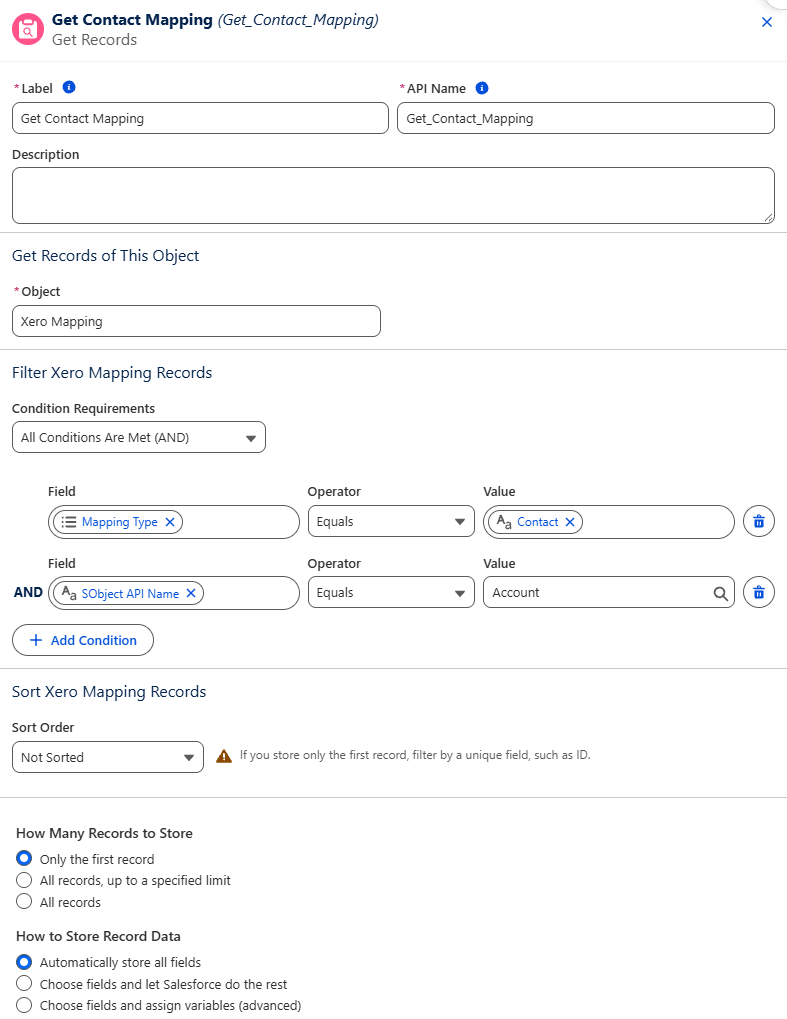
Get the Contact Mapping
Section titled “Get the Contact Mapping”Add a Get Records element for the contact mapping:
- Label —
Get Contact Mapping. - Object —
Xero Mapping. - Filter — Mapping Type Equals
Contact, and SObject API Name EqualsAccount.
Get the Account
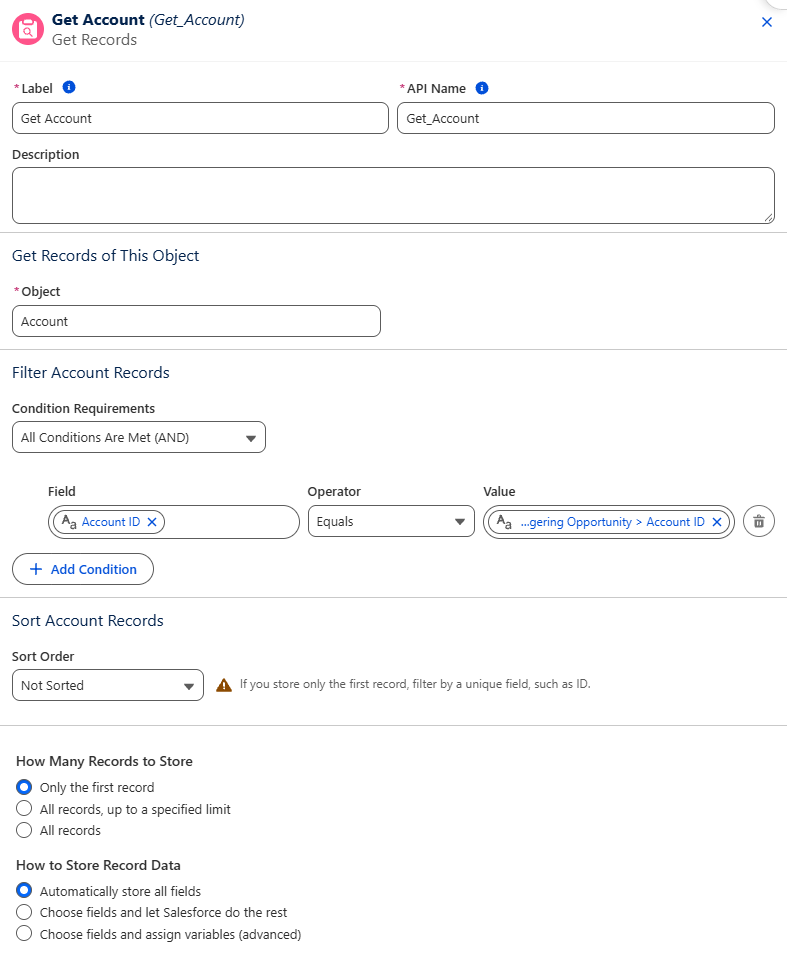
Section titled “Get the Account”Add another Get Records element to get the Opportunity’s Account:
- Label —
Get Account. - Object —
Account. - Filter — Account ID Equals Triggering Opportunity > Account ID.
Create the Contact and Invoice
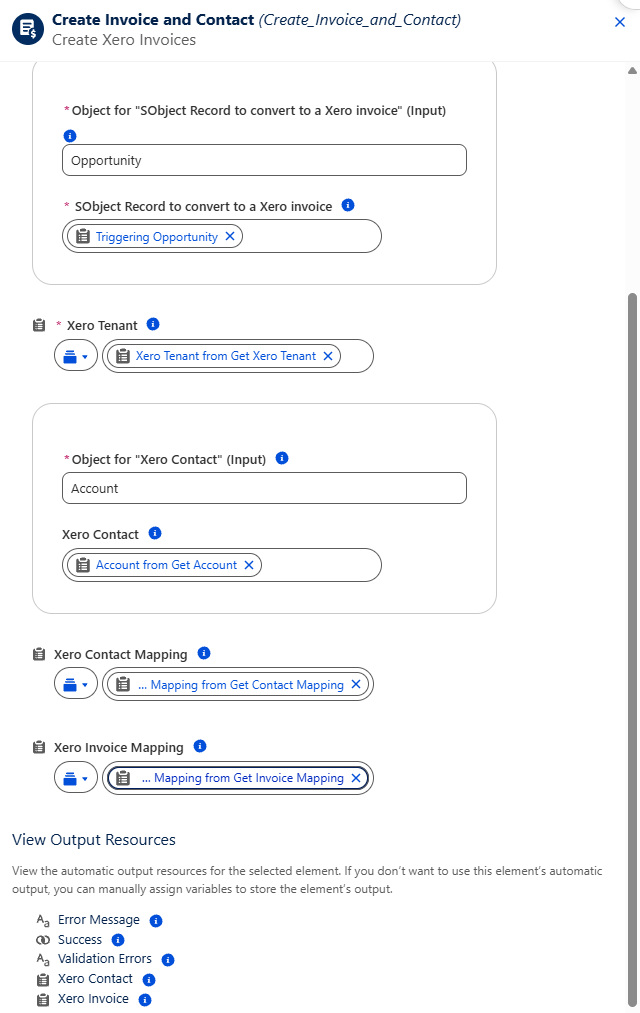
Section titled “Create the Contact and Invoice”Click + below Get Account, search for Create Xero Invoices and select the action. Label it Create Invoice and Contact and set its inputs:
- Object for “SObject Record to convert to a Xero invoice” —
Opportunity, with SObject Record to convert to a Xero invoice set to Triggering Opportunity. - Xero Tenant — Xero Tenant from Get Xero Tenant.
- Object for “Xero Contact” —
Account, with Xero Contact set to Account from Get Account. - Xero Contact Mapping — Xero Mapping from Get Contact Mapping.
- Xero Invoice Mapping — Xero Mapping from Get Invoice Mapping.
Next, activate and test the flow.