

Activate and Test
When the flow is complete, activate it and send a record to Xero to check it works.
Activate the Flow
Section titled “Activate the Flow”Click Save, then click Activate.

Send an Opportunity to Xero
Section titled “Send an Opportunity to Xero”To test the flow, tick Send to Xero directly on a record. In production, your business process usually sets the field instead, for example when the Opportunity is Closed Won. See Automating When Records Are Sent.
Open the Opportunity you want to invoice and go to the Details tab. Click the pencil icon beside Send to Xero, select the checkbox and click Save.
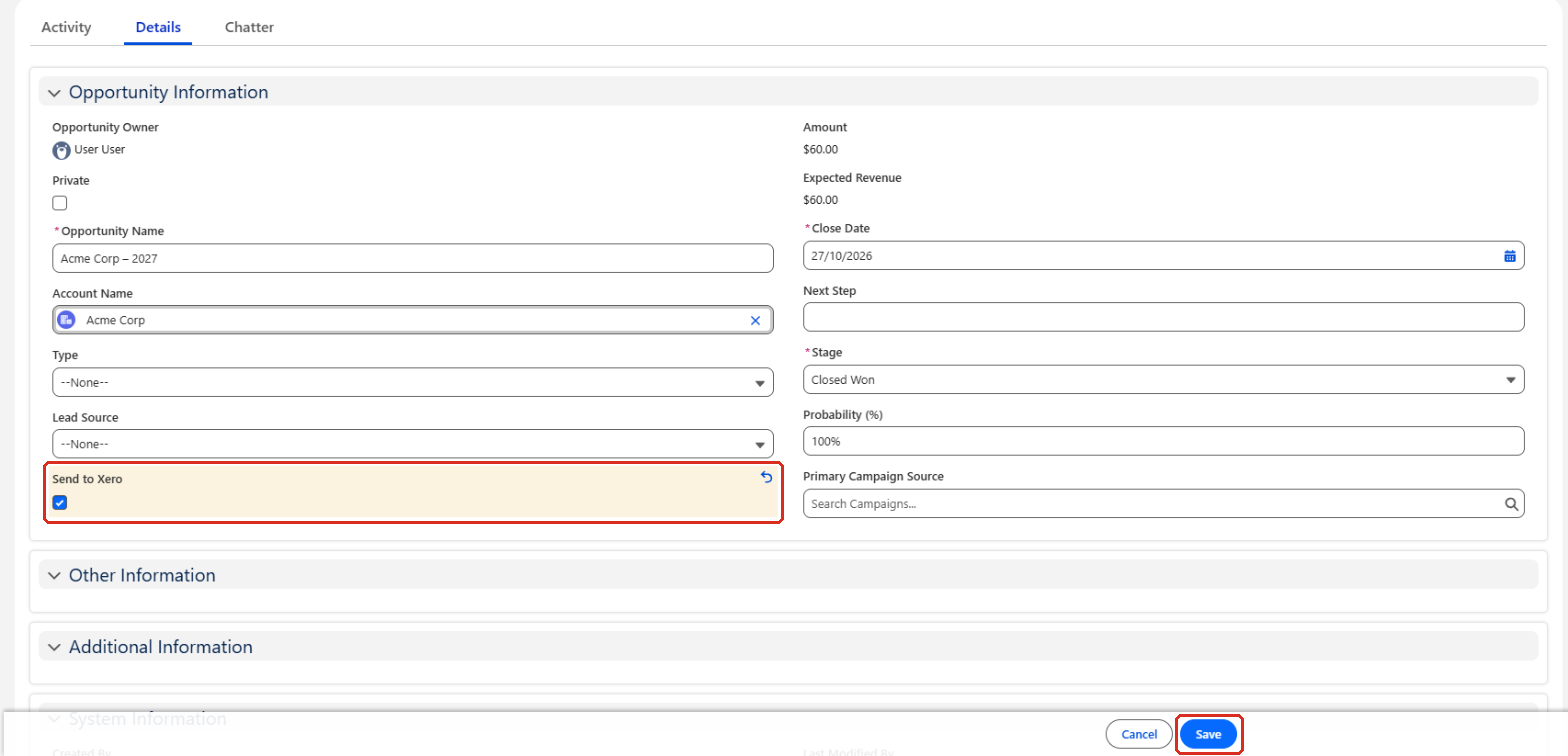
The flow runs in the background a few seconds after you save. Refresh the page to see the new invoice on the Xero Invoices card.
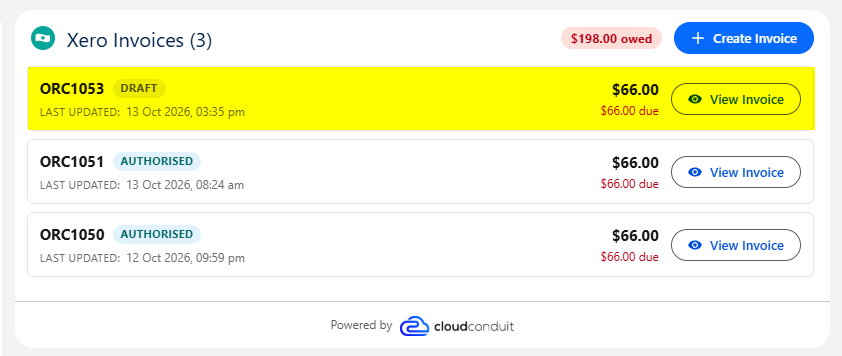
The invoice’s status comes from the invoice mapping. Standard Sales doesn’t set a status, so the invoice is created as a Draft.