

Combine Both
Combine both options with a Decision element. The flow looks for a Xero Contact matched to the Account and uses it if one is found. If not, it creates the contact in Xero and raises the invoice against it.
Get the Xero Contact
Section titled “Get the Xero Contact”Below Get Xero Tenant, add the Get Xero Contact element described in Invoice an Existing Contact.
Add the Decision
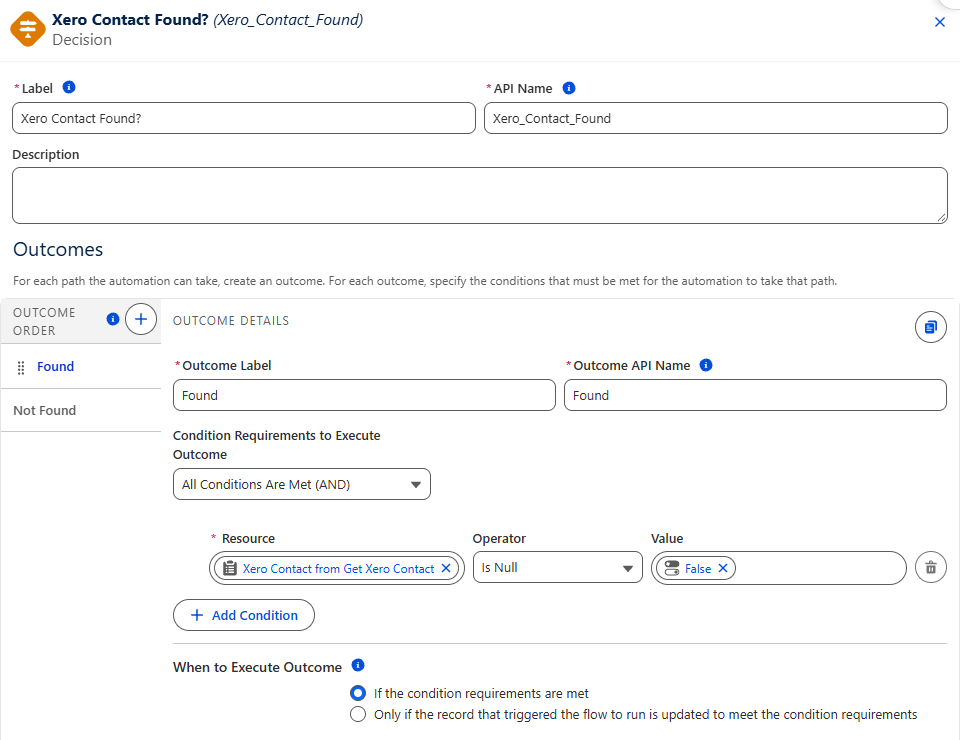
Section titled “Add the Decision”Add a Decision element below Get Xero Contact:
- Label —
Xero Contact Found?. - Outcome — label it
Found, with the condition Xero Contact from Get Xero Contact Is Null False. - Default Outcome — rename it
Not Found.
Add Each Branch
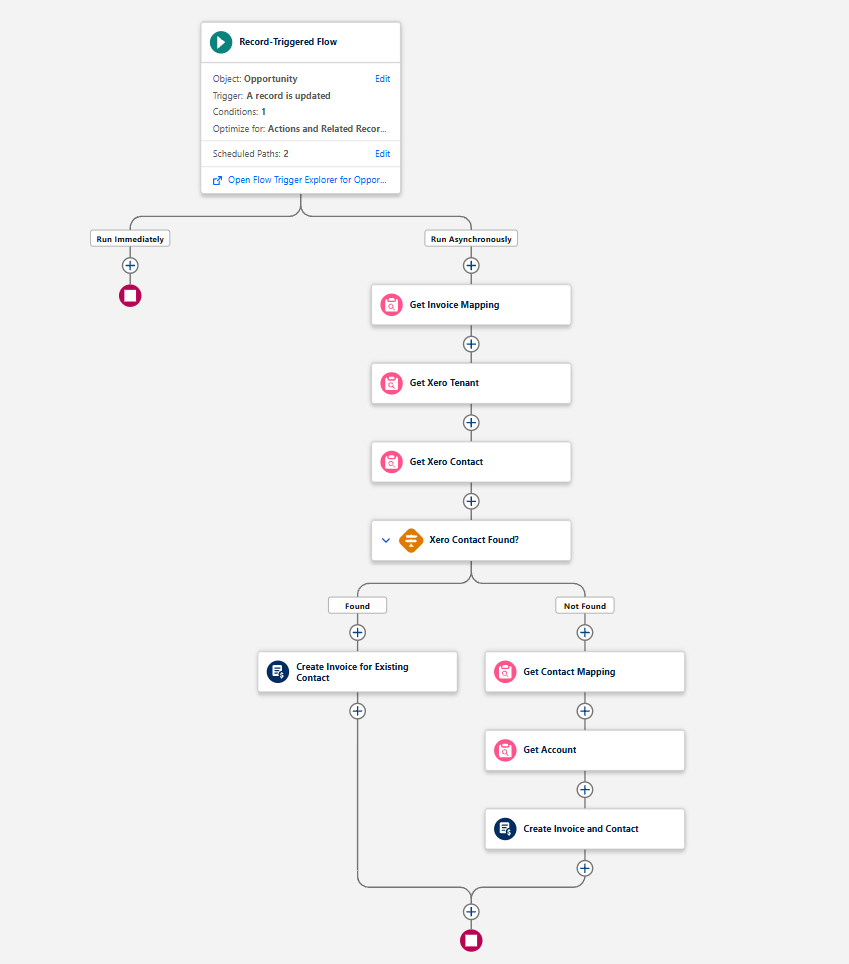
Section titled “Add Each Branch”On each branch, add the elements from the matching option:
- Found — the Create Invoice for Existing Contact action from Invoice an Existing Contact.
- Not Found — the Get Contact Mapping, Get Account and Create Invoice and Contact elements from Create a New Contact.
The finished flow looks like this:
Next, activate and test the flow.